Decide what a take must prove
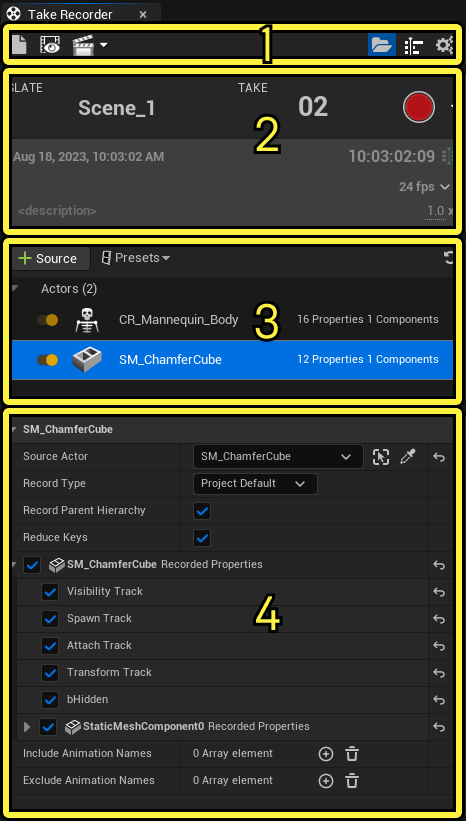
Take Recorder can capture actors, camera cuts, Live Link, microphones, level sequences, and other eligible sources into Sequencer. That capability is useful, but it does not create an editorial decision or a technical audit by itself. Epic’s current Take Recorder documentation also makes clear that a source needs a recorder and a Sequencer-playable track. Treat the recorder as the capture mechanism; keep the shot log as the record of intent, result, and exceptions.
Before roll, assign a stable shot key that survives a renamed level sequence: production, scene, shot, setup, and take number is usually enough. Add a short purpose field such as “handheld reveal, 35 mm equivalent, two-metre track.” This is more useful than trying to infer a take’s story function weeks later from a folder name. Record the engine and content revision separately. A take name should identify the result; it should not pretend to be a full configuration manifest.
Log the state that can change the image
Make the entry at slate time, not after lunch. Capture the selected camera subject, physical camera and lens identity, tracking subject, timecode status, scene revision, and approved snapshot or cue. For a Live Link performance, write whether the source was transform-only, camera-role data, or a combined provider. Those labels are not cosmetic: the engine’s Live Link controller guidance distinguishes transform data from camera settings such as focal length, aperture, and focus distance.
| Field | Example, illustrative | Why it stays with the take |
|---|---|---|
| Shot / take key | SC12_SH030_A_T04 | Lets editorial and stage teams refer to one result. |
| Source set | CamA camera role; tracker A; performer LL-02 | Exposes a missing or substituted stream. |
| Known state | Forest_Dawn snapshot v3; content CL-1842 | Gives recovery a named target. |
| Disposition | Creative select; tracking dropout at end | Separates a usable performance from a clean technical pass. |
Make review a two-pass decision
First, confirm that the expected data landed: the intended take asset opens, its camera cut or actor tracks are present, and timecode or frame range is plausible. Then review the photographed or rendered result. A good performance can coexist with a bad tracking interval; neither should be erased by a single “good/bad” checkbox. Use separate creative, technical, and post-handoff fields, with a person and time for each decision.
Illustrative example: take four may be the preferred performance but carry a brief lens-stream interruption during a rack focus. Mark it “creative select; lens data needs replacement or manual reconstruction,” rather than calling it a full reject. That wording keeps the useful material discoverable without hiding the work post will need.
End each setup with a compact reconciliation
- Confirm the final take number and its sequence path before changing setups.
- Attach or link a reference frame from the approved camera, not a desktop screenshot.
- Record source dropouts, manual overrides, and unsaved changes explicitly.
- Hand off the shot-log rows with the take assets; do not rely on a chat transcript.
This is an Atlas proposed operating process, not a claim that Take Recorder verifies every external device. The useful test is whether a person who was absent can locate the intended take, identify what was recorded, and understand the material’s limits.
Sources & evidence
Primary documentation establishes tool behavior or a reported production. Checklists and illustrative examples are Atlas editorial guidance, not results of independent testing. Match documentation to your installed version.
Recordable source types, source/track constraints, and resulting Sequencer workflow.
Source published: Not established · Retrieved 19 September 2026
Different Live Link controller roles and camera properties.
Source published: Not established · Retrieved 19 September 2026