What scouting makes visible
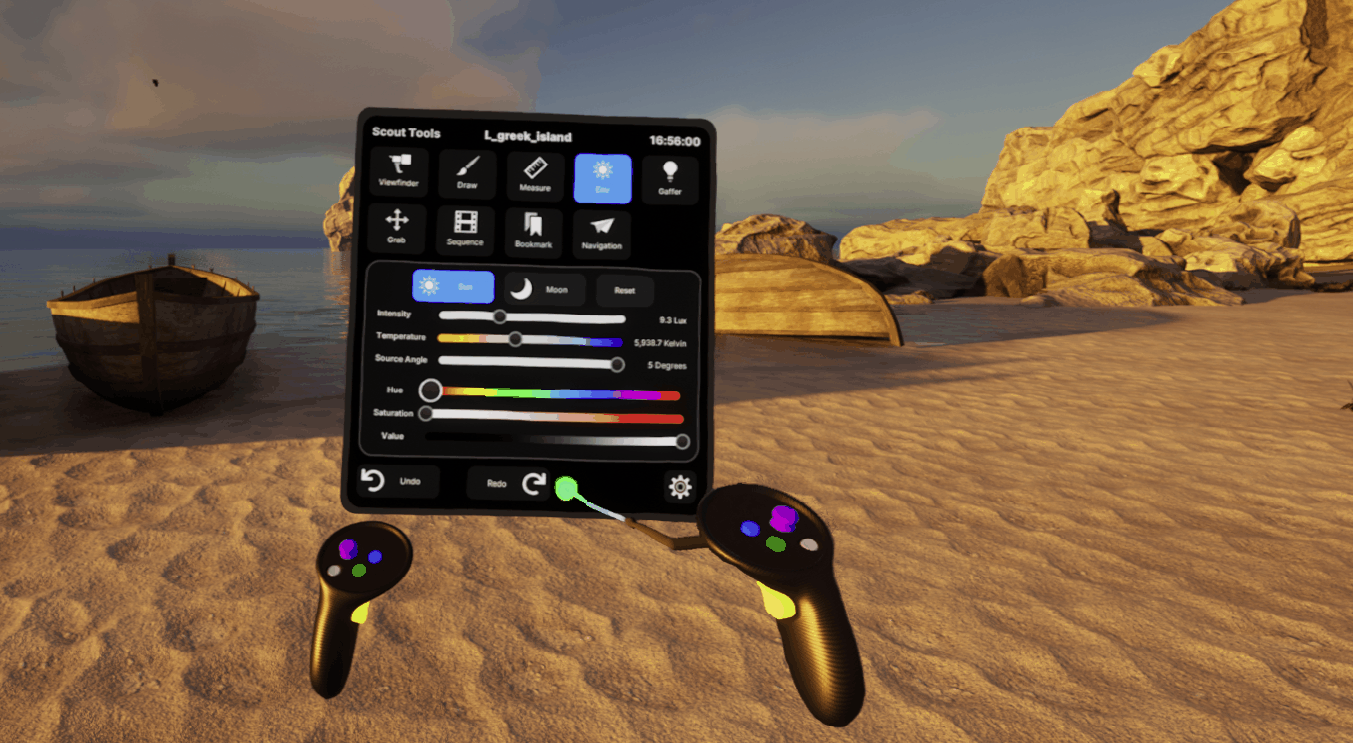
Epic’s Virtual Scouting tools let filmmakers navigate environments, compose shots, measure distances, adjust the world, and capture images of decisions. Its current documentation separates these tools from the legacy system and lists version and headset requirements. Check those prerequisites before building a session around a particular device.
Source: Virtual Scouting
Give the session a short brief
Atlas method
Choose a question with an answer: where can the camera stand, which doorway must be built physically, or what part of an environment needs more detail? Invite the people who own those decisions. An open-ended tour may be inspiring, but it is hard to turn into a reliable production handoff.
Use consistent units and explain what the scene represents. A measured scan, an art-directed model, and a rough blockout do not carry the same confidence. Mark uncertain dimensions and unresolved set boundaries rather than letting convincing imagery imply that everything has been surveyed.
Make a scout packet
Atlas checklist
For each agreed setup, capture a reference image and record the camera intention, the scene revision, and the physical/virtual boundary. Keep open questions beside the approved decisions. A person who missed the session should be able to tell what is fixed and what is still exploratory.
End by assigning each unresolved item to a department and a next review. That small administrative step is what lets the virtual scout influence the real schedule. The screenshot itself cannot carry all of that context.
- Define one or two production questions before entering VR.
- Label measured geometry separately from provisional geometry.
- Save decisions, unresolved items, and scene revision together.
A scout is complete when another department can act on its decisions.
Sources & evidence
Primary documentation establishes tool behavior or a reported production. Checklists and illustrative examples are Atlas editorial guidance, not results of independent testing. Match documentation to your installed version.
Source published: Not established · Retrieved 16 September 2026