Two cameras do not see one stage the same way
In an LED volume, each camera brings its own position, lens, framing, focus behavior, and possible inner-frustum demand. A camera that is harmless in a wide master can become the dominant constraint in a close-up. If their view-dependent regions overlap, the system must have a defined behavior; if their physical positions differ, the background perspective and practical reflections may stop agreeing with both images at once.
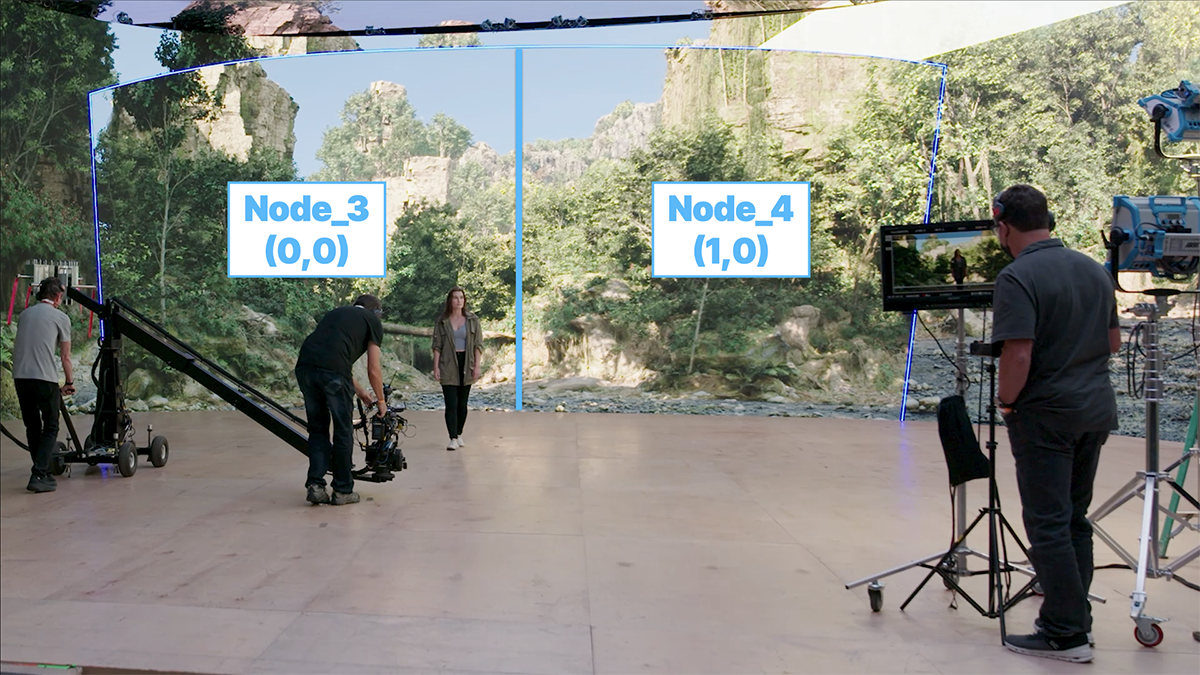
Epic’s ICVFX Quick Start includes a multi-frustum example. It says that multiple ICVFX camera components can be configured and that, when their inner frustums overlap, the first camera in the priority order renders on top. This is a concrete implementation behavior, not a creative answer to which camera should get the image. The production needs to decide that before the day.
Describe the conflicts before testing
Make a camera-pair map, not a generic “A and B camera” note. For every simultaneous pairing, write the likely framing, lens range, operating zone, wall-facing angle, required practical set, and whether either camera sees the other or its reflection. Add requirements for background depth, virtual focus treatment, and where a separate key or negative fill could compromise the other camera.
| Conflict | Evidence to capture | Possible production response |
|---|---|---|
| Overlapping inner frustums | Recorded output from both cameras | Prioritize one, stagger coverage, or reblock. |
| Different lens demands | Wide and close test at intended stops | Limit pairings or designate a hero camera. |
| Mutual reflections | Live monitor and recorded test | Change angle, dressing, or capture order. |
| Lighting conflict | Both exposures with practicals active | Use a shared look or schedule separately. |
Run one deliberately awkward pairing
Atlas proposed test: select the two cameras most likely to fight, not the two easiest to accommodate. Put them at their planned distance and height. Run their far and near lenses, the intended movement, and a practical or reflective foreground object. Record both outputs at the same time. Then identify which limitation is physical, which is scene/render configuration, and which belongs to a coverage decision.
Epic’s nDisplay Root Actor reference also documents inner-frustum priority and notes that cluster color grading applies only to nDisplay renders, not the editor or Movie Render Queue. That is a reminder to test recorded camera output, not infer the result from a convenient editor view.
Illustrative coverage rule
Illustrative: A camera is the designated hero for a moving 50 mm close-up, while B camera collects a 100 mm reverse from a compatible angle. When the reverse requires a wall region occupied by A’s priority frustum, the plan calls for separate passes rather than a late argument over why B does not match the monitor. The schedule protects that choice as a coverage decision, not a stage fault.
- Define which camera has priority for every simultaneous pairing.
- Test the most incompatible lenses, positions, and practicals together.
- Watch and record both camera feeds, not a single control view.
- Write a fallback: reblock, stagger, change lens, or release a shot.
Sources & evidence
Primary documentation establishes tool behavior or a reported production. Checklists and illustrative examples are Atlas editorial guidance, not results of independent testing. Match documentation to your installed version.
Documents adding multiple ICVFX cameras and the priority ordering when inner frustums overlap.
Source published: Not established · Retrieved 19 September 2026
Documents inner-frustum priority and the scope of cluster color grading in nDisplay.
Source published: Not established · Retrieved 19 September 2026